
TweleTwele
Buy together. Save more.
A community platform that helps people nearby find each other and organise together: group buying, NYSC camp pairing, housemates and rent sharing, and group travel.
- Marketplace
- Community
Coming Soon

Security / Communication
Take control of unwanted calls and messages.
A practical Android utility designed to help users identify and block unwanted calls and SMS using flexible blocking rules.
Available onAndroid
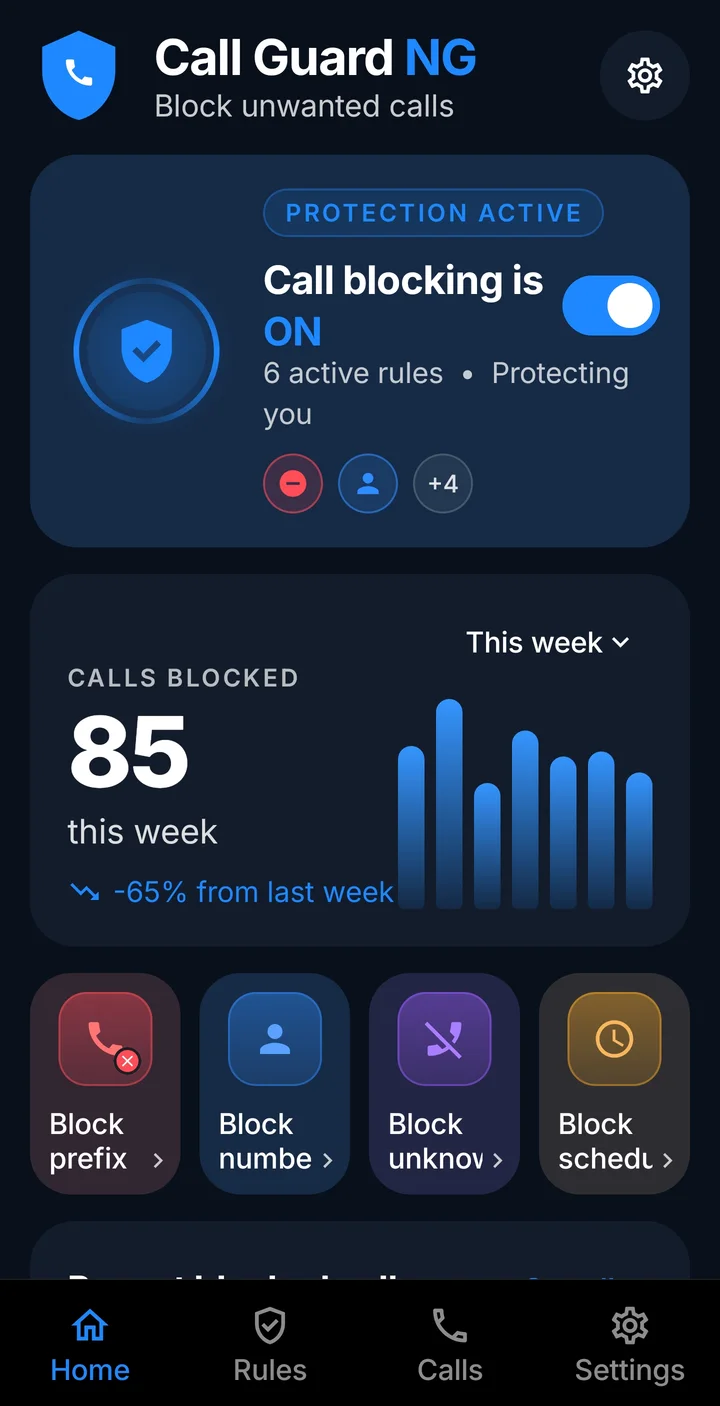
CallGuard NG is an Android call-screening app. It uses Android’s own call-screening role to reject calls that match the rules you set, so unwanted numbers do not ring through.
Your rules, settings and blocked-call history stay on your phone. CallGuard NG does not ask for internet access.
Flexible blocking rules
Block number prefixes, exact numbers, known spam numbers, or every call from outside your contacts.
Included spam list
A local spam-number list ships inside the app and works without an account or a connection.
Blocked-call log
See what was blocked and why. The log keeps the most recent 500 entries; the lifetime total is kept even if you clear the log.
Schedules and quiet hours
Switch protection on a schedule, and set quiet hours for the contacts you choose.
Call-trap warning
Notices patterns such as a burst of missed calls from one number, which scammers use to make you call back.
Share your rules
Share rule bundles by QR code or link. An import always shows a preview before any rule is applied.
Themes
Choose a saved colour theme; it is remembered on the phone.
Android only lets one app screen calls at a time. Choosing CallGuard NG lets Android hand it incoming calls so your rules can be applied.
Android does not pass every call to screening apps. Calls with hidden, private or unavailable caller IDs may not be supplied, and behaviour varies by phone and carrier. Check the rule that should match in the app, then test again.
No. The app has no internet permission. Contacts, call history, rules and the blocked-call log stay on your phone.
Only for quiet hours. For the contacts you schedule, it switches “send to voicemail” on during the quiet period and off again afterwards.
The rules are carried in the part of the link after the “#”, which browsers keep on your device. Anyone you share with sees a preview before they apply anything.
Clear the log in the app, or uninstall it. Everything it stored is on your phone.
Buy together. Save more.
A community platform that helps people nearby find each other and organise together: group buying, NYSC camp pairing, housemates and rent sharing, and group travel.
Find any screenshot in seconds.
Search, analyse and take action on information stored across thousands of screenshots — including text, links, places and other useful content.
Know what's around you.
A simple location utility that helps users understand their current location and quickly discover useful nearby places and services.
Our team is happy to help with support, partnerships and business enquiries.